

Short answer: To remove your mugshot from a Facebook mugshot page, copy the link to the post, message the Page admin with your case outcome and court paperwork, and ask them to delete the post. If the post shows the wrong person, involves a minor, or the post or its comments include harassment or private details like your home address, report it to Facebook too. Once the post is deleted, ask Google and Bing to remove the old result. Most Facebook mugshot pages have no written removal policy, so a clear, polite request with proof is your best first move.
Many counties have Facebook Pages that repost local jail bookings, and the biggest have tens of thousands to almost 200,000 followers – Lubbock County Mugshots, Broward County Mugshots, Orange County Mugshots 2.0, Lee County Mugshots, Potter County Mugshots and Dallas County Mugshots among them. Most have no website or removal policy, and the people who run them are often anonymous. This guide covers how to get a booking post taken down from any of them, what Facebook will and won’t remove, which state laws can help, and how to clean up Google and Bing afterward.
Quick facts
| Platform | Facebook Pages and Facebook groups (some also post on Instagram) |
|---|---|
| Examples | Lubbock County Mugshots (~196K followers), Broward County Mugshots (~127K), Orange County Mugshots 2.0 (~90K), Lee County Mugshots (~75K), Potter County Mugshots (~73K), Dallas County Mugshots (~72K) – November 2026 |
| Where the photos come from | Public jail rosters and sheriff’s booking sites |
| Removal method | Message the Page admin; report the post or comments to Facebook |
| Removal policy | Usually none published |
| Cost to request | Free – you should never have to pay a Page admin to delete a post |
| Best evidence | Dismissal, acquittal, expungement or sealing order; proof of mistaken identity |
| State law | Depends on the state – some laws cover anyone who publishes booking photos for commercial gain |
| After removal | Google Refresh Outdated Content and Bing Content Removal tools |
How Facebook mugshot pages work
Most county mugshot pages on Facebook copy booking photos from the sheriff’s online jail roster, usually within a day or two of an arrest. A post typically shows the booking photo, your full name, age, the charges listed at booking and sometimes your city. Because the Pages are local, followers often recognize the people in the posts, and the comment sections can fill up with guesses, insults and personal details.
That local reach is what makes these posts so damaging. A booking post shows the arrest, not the outcome. If your charges were dropped, reduced or dismissed, or you were found not guilty, the post will still say nothing about it unless the admin updates or deletes it. Some Pages run ads, sell merchandise, or promote “removal” services, which can matter under state law (see below).
There are three common places your booking can appear on Facebook, and each is handled a little differently:
| Where it’s posted | Who can delete it | How to ask |
|---|---|---|
| Facebook Page (for example, “[County] County Mugshots”) | The Page’s admins | Message button on the Page; email in the About section if listed |
| Facebook group (local news, crime watch or “busted” groups) | The person who posted it, or the group’s admins and moderators | Message the poster; message an admin from the group’s Members list |
| Shares on personal profiles | The person who shared it | Ask the sharer; deleting the original post usually breaks most shares |
| Instagram account run by the same Page | The account owner | Instagram direct message; report through Instagram |
How to request removal from Facebook mugshot pages
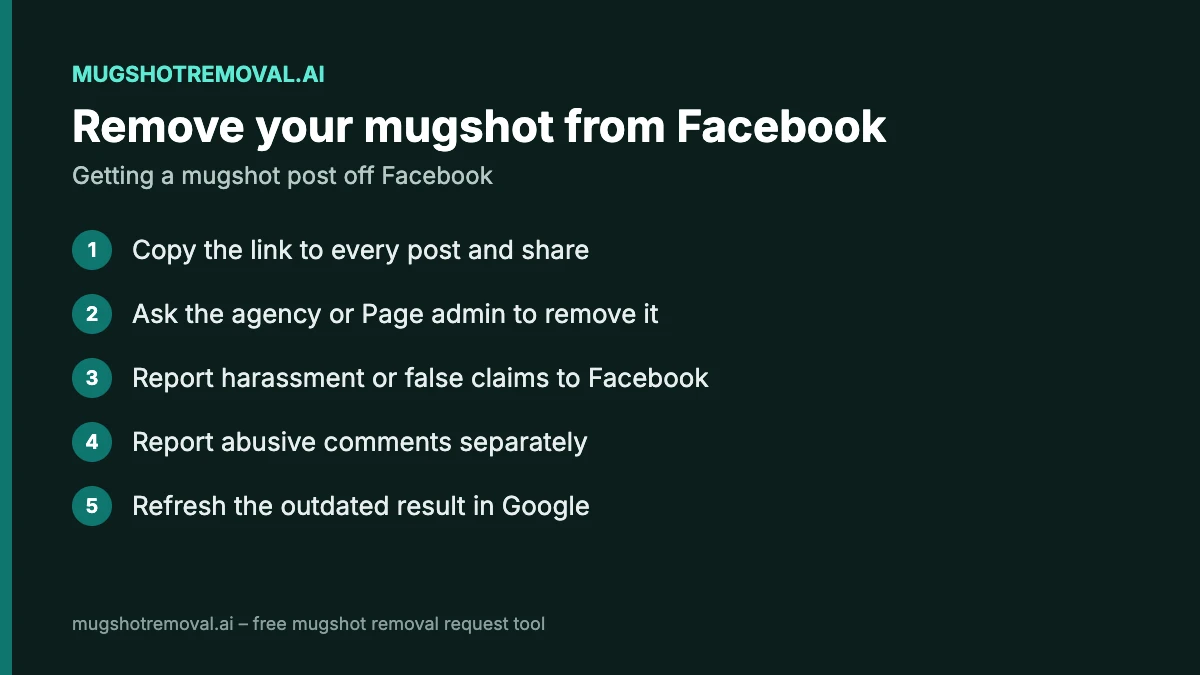
- Find the post with your booking. Click the post’s timestamp and copy its URL.
- Message the Page from its “Message” button and ask the admin to delete it.
- Explain the outcome of your case and offer your court paperwork.
- If the post is inaccurate, shows the wrong person, or the comments harass you, report it to Facebook (three dots → Report).
- Search Facebook and Google for your name and county to find reposts on other Pages and groups.
Step 1: Save the post link and a screenshot
Open the post that shows your booking. On a computer, click the date or time under the Page name – that opens the post on its own, and the address bar now holds the post’s direct link. On the Facebook app, tap the three dots or the Share button and choose “Copy link.” Take a full screenshot that shows the Page name, the date, your photo and the comments. If the admin deletes the post later, you’ll still have proof of what was published, which helps with Google and with any legal request.
Step 2: Find the right contact
Most Pages can be reached with the blue “Message” button under the cover photo. Also check the Page’s About and Page transparency sections: some list an email address, a phone number, a linked website or a removal note. If the Page links to a website that sells removals or ads, that website may have its own contact or removal form – and it can bring the Page under a state mugshot law.
Step 3: Send a short, polite request with proof
Admins of volunteer-run Pages get a lot of angry messages. A calm request that makes deleting the post easy gets a much better response. Give the post link, your name as it appears, the booking date, and what happened in your case. Offer to send a dismissal order, not-guilty verdict, or expungement or sealing order – but black out your date of birth, case-sensitive ID numbers and anything else they don’t need.
Step 4: Report anything that breaks Facebook’s rules
You don’t need to wait for the admin to reply. If the post names the wrong person, shows someone who was a minor, lists a home address, or the comments contain threats or harassment, report those items to Facebook right away. Reporting is anonymous – the Page is not told who reported it.
Step 5: Follow up and check for reposts
Give the admin about a week. If there’s no reply, send one short follow-up. Meanwhile, search Facebook for your name plus your county, and search Google for your name plus “mugshot” and “arrest.” The same booking often appears on a second county Page, a local group, and one or more mugshot websites.
What to include in your request
- The URL of the Facebook post
- Your full name as it appears in the post
- Your booking date and county
- The outcome of your case, with court documents
- A clear request to delete the post and photo
- Your state’s mugshot law, if it applies to the Page
Sample message to a Facebook mugshot page
Copy this message, fill in the brackets, and send it from the Page’s Message button:
Hello, I’m writing about this post: [post link]. It shows my booking photo from [date] in [county]. My case was [dismissed / not prosecuted / found not guilty / expunged / sealed] on [date], and I can send you the court document if that helps. Because the post no longer reflects what happened, I’m asking you to delete the post and photo. [Optional: I believe [state] law, [statute], applies to booking photos published for commercial purposes.] Thank you for your time.
[Your name]
How to report a mugshot post to Facebook
- Open the post and click or tap the three dots in its top-right corner.
- Choose “Report post.”
- Pick the reason that fits best – for example, bullying or harassment, sharing private information, or a problem involving someone under 18.
- Follow the prompts and submit. You can track the outcome in your Facebook Support Inbox.
- Report harmful comments one by one: hover over or long-press the comment and choose Report.
For a photo that you believe violates your privacy, Facebook also has a separate privacy reporting process. Its image privacy rights help page explains the options. If a report is rejected, Facebook may let you request another review from the Support Inbox.
What Facebook will and won’t remove
Facebook generally does not remove accurate posts about public arrest records just because they are embarrassing. Reports are more likely to work when a post identifies the wrong person, involves someone who was a minor, or when the post or its comments contain harassment, threats or private details like a home address. Meta’s Privacy Violations policy bars sharing other people’s full private home addresses, and its bullying and harassment rules cover many of the comments these Pages attract.
| More likely to be removed | Less likely to be removed |
|---|---|
| A post that names or shows the wrong person | An accurate booking post copied from a public jail roster |
| A booking of someone who was under 18 | A post about an adult’s arrest, even if charges were later dropped |
| Your home address, phone number or other private contact details | Your name, age and listed charges |
| Threats, slurs, sexual comments or targeted harassment in the comments | Comments that are rude but not threatening |
| A Page impersonating a sheriff’s office or using its badge | A Page that clearly says it’s not affiliated with law enforcement |
A common myth is that you can file a copyright (DMCA) takedown for your own mugshot. In most cases you can’t: the photo was taken by the jail or sheriff’s office, so you don’t own the copyright. Your strongest arguments on Facebook are mistaken identity, a minor’s privacy, private information and harassment.
Comments, shares and reposts in Facebook groups
The comments under a mugshot post can do more harm than the post itself, especially when people tag your friends, name your employer or share where you live. Report those comments separately, even if the admin won’t remove the post. Once the original post is deleted, its comments go with it, and shares of that post usually stop showing the content.
Screenshots reposted in local Facebook groups are separate posts, so deleting the Page’s post won’t remove them. In a group, open the Members list to find the admins and moderators, and message them with the same request. You can also report a group post to the group’s admins, which goes to them rather than to Facebook. If the group won’t act, report the post to Facebook for any rule it breaks.
State mugshot laws and Facebook Pages
Some state laws apply to anyone who publishes booking photos, not just websites – Florida’s, for example, covers anyone publishing them for commercial gain. If the Page runs ads, sells services or links to a site that charges for removal, mention your state’s law in your message. See mugshot laws by state to check yours. A few examples:
- Florida (Fla. Stat. § 901.43): no fee may be charged to remove a booking photo, and a proper written request – sent the way the statute requires – must be honored within 10 days. Broward, Orange and Lee County Pages are all in Florida.
- Texas (Bus. & Com. Code Ch. 109): businesses that publish criminal record information can’t charge to remove it and must stop publishing records after notice of an expunction or order of nondisclosure. Lubbock, Potter and Dallas County Pages are in Texas.
- Georgia (O.C.G.A. § 10-1-393.5): charging to remove a booking photo is prohibited, and qualifying cases must be removed free within 30 days of a written request.
- Illinois and Colorado also restrict pay-to-remove practices for booking photos and criminal records.
Whether a law applies to a hobby Page that earns nothing is less clear, so present the law as a reason to delete the post rather than a threat. If an admin asks you for money to take a post down, don’t pay. In many states that’s against the law, and it’s a common sign of a scam – see how to spot mugshot removal scams. This guide is general information, not legal advice; talk to a lawyer about your specific situation.
If your case was dismissed, expunged or sealed
A favorable outcome is the most persuasive thing you can show an admin. A dismissal, no-bill, not-guilty verdict or completed diversion shows the post no longer tells the full story. An expungement or sealing order is even stronger, and in some states – Texas, for example – businesses that publish criminal records must stop publishing a record once they’re told it was expunged or is covered by an order of nondisclosure. Our guide to removing a mugshot after expungement explains how to use that order with Pages, websites and search engines.
Facebook mugshot pages removal tips
- Look for a Page’s “About” section – some list an email or a removal note.
- Comments can be worse than the post; report harassing comments separately.
- Reposts in local Facebook groups need to be handled with the group admins.
- Screenshot the post before you message the Page, in case you need it later for a legal request.
- Message from a profile that uses your real name so the admin can match you to the post.
- Ask a family member or lawyer to send the request if you’d rather not message the Page yourself.
Mistakes to avoid
- Arguing in the comments – it pushes the post back up in followers’ feeds and invites more comments.
- Sending angry or threatening messages, which almost always end the conversation.
- Paying anyone who promises to “get the Page to delete it” without explaining how.
- Sending unredacted court records with your date of birth or other private details.
- Stopping at Facebook – the same booking is often on mugshot websites and in Google Images.
If Facebook mugshot pages won’t remove your mugshot
If the Page ignores you, report the post to Facebook for any rule it breaks, check whether your state’s mugshot law applies (see mugshot laws by state), and ask Google and Bing to drop results that are outdated or show personal information. Then work through these options in order:
- Send one follow-up message after about a week, with your court document attached.
- Try any other contact the Page lists, such as an email address or linked website.
- Report the comments and any private details, which Facebook is more likely to remove.
- If your state’s law applies, send a written request in the form the statute requires, or have a lawyer send it.
- Get professional help, especially if the booking is also on mugshot websites.
Remove the result from Google and Bing
Facebook posts from public Pages can show up in Google and Bing for your name. Once the Page deletes the post, submit the post URL to Google’s Refresh Outdated Content tool and Bing’s Content Removal tool so the old snippet and image drop out faster. If a result shows your home address, phone number or email, Google’s Results about you tool lets you ask for removal of personal contact information even if the post is still up.
Then search your name again, including Google Images – the same booking is often posted on mugshot websites too. Read does Google remove mugshots? for what search engines will and won’t remove, and, if you live in Europe or the UK, the right to be forgotten for mugshots.
Check for the same mugshot on other sites
Facebook mugshot pages and mugshot websites often pull from the same jail roster, so one arrest can end up in many places. Common ones include SayCheese Facebook Pages, County Crime Watch, Busted Newspaper and Polk Busted. Each has its own removal process – see all of our mugshot removal guides by website.
How long it takes and what it costs
Asking a Facebook Page to delete a post is free. Some admins reply within a day; others never do. Facebook usually reviews reports within days, though appeals can take longer. After a post is deleted, Google and Bing typically update within days to a few weeks once you use their removal tools. If you hire help, costs vary widely by how many sites are involved – our guides on free mugshot removal and mugshot removal cost explain what to expect.
When to get professional help
Doing it yourself works well when there’s one post and a responsive admin. Professional help makes sense when the admin won’t reply, your booking has been reposted across several Pages, groups and mugshot websites, or you need it handled quickly for a job, housing or a licensing application. Remove-Arrests.org, a Defamation Defenders company, handles mugshot and arrest record removal across Facebook Pages, mugshot websites and search results, and offers a free case review with pricing confirmed before any work starts. No one can honestly guarantee that every Page will delete a post, so be wary of anyone who does.
Frequently asked questions
Can I make a Facebook mugshot page delete my post?
You can ask. Message the Page with the post link, your case outcome and your court paperwork. If your state’s mugshot law covers the Page, cite it.
Will Facebook remove a mugshot post if I report it?
Usually not for an accurate public record alone. Facebook is more likely to act if the post shows the wrong person, involves a minor, or includes harassment or private details.
Is it legal to post mugshots on Facebook?
In most states, yes. Booking photos are generally public records, so posting them is usually legal. Some states limit charging fees to remove booking photos or require removal after a written request, and those laws can apply to Pages that publish for commercial gain.
How do I find out who runs a Facebook mugshot page?
Check the Page’s About and Page transparency sections for contact details, a linked website, and the country where its managers are located. Many admins stay anonymous, so the Message button is often the only direct contact.
Can I file a DMCA takedown for my mugshot on Facebook?
Usually not. The jail or sheriff’s office took the photo, so you don’t own its copyright. Mistaken identity, a minor’s privacy, private information and harassment are stronger grounds for a report.
Should I pay a Facebook mugshot page to remove my post?
No. Requests to Page admins should be free, and charging to remove booking photos is illegal in several states. A demand for payment is a red flag for a scam.
What if my charges were dropped or my record was expunged?
Say so in your request and offer the court document. It’s your strongest argument, and in some states, such as Texas, publishers of criminal records must stop publishing expunged records after notice.
How do I remove a mugshot from a Facebook group?
Ask the person who posted it, then message the group’s admins or moderators from the Members list. If they won’t act, report the post to Facebook for any rule it breaks.
Do Facebook mugshot posts show up on Google?
Yes, posts from public Pages can appear in Google and Bing results for your name. After a post is deleted, use the search engines’ outdated-content tools to clear it faster.
How long does it take to remove a mugshot from Facebook?
It depends on the admin. Some delete posts within a day of a polite request with proof; others never reply. Search results usually clear within days to a few weeks after you use Google’s and Bing’s removal tools.
Last reviewed November 2026. Facebook policies and Page details change; check the Page’s current About section before you send your request.